


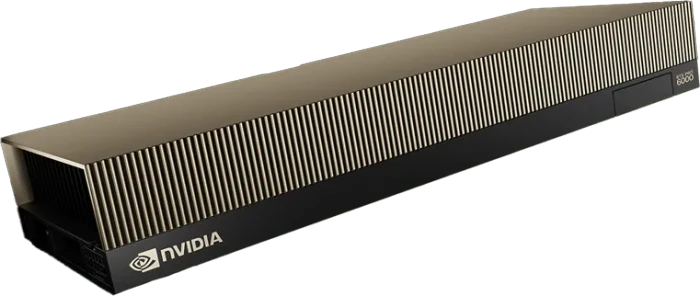
NVIDIA RTX PRO 6000

The Blackwell GPU with 96 GB of GDDR7 memory for cost-effective LLM inference, fine-tuning, image and video generation, and rendering. Hosted in France on our own servers in Paris and Lyon.

Nvidia RTX PRO 6000 Blackwell
Blackwell architecture

GPU for AI to Build & Scale AI applications

Run LLM inference, fine-tuning, generative media and rendering on the same GPU, on our own NVIDIA servers in Paris and Lyon.

01
5th-generation Tensor Cores with FP4
NVIDIA Blackwell architecture with 5th-generation Tensor Cores, FP4 precision support and the second-generation Transformer Engine: up to 4 PFLOPS of FP4 and 2 PFLOPS of FP8 AI compute per GPU (NVIDIA peak specifications).
02
96 GB of GDDR7 memory with ECC
96 GB of GDDR7 per GPU with error-correcting code, on a 512-bit interface with 1,597 GB/s of bandwidth. Enough to serve a 70B-parameter model on a single GPU with quantization.
03
NVMe storage
Attach NVMe storage with 2,000 MB/s of bandwidth and 100k IOPS to keep datasets, checkpoints and model weights next to your GPUs.
04
4th-generation RT Cores and video engines
188 fourth-generation RT Cores for ray-traced rendering and 3D, plus four NVENC and four NVDEC engines to accelerate video encoding and decoding.
05
From 1 to 8 GPUs, billed per second
Launch a Cloud GPU instance with 1 to 8 RTX PRO 6000 GPUs and full SSH access, or deploy your model on a Serverless GPU endpoint with scale-to-zero. Both are billed per second, with no commitment.
Why choose the NVIDIA RTX PRO 6000

Cost-effective Blackwell for AI and graphics

Ideal use cases for the NVIDIA RTX PRO 6000

From serving open-source LLMs to fine-tuning, generative media and 3D rendering, the RTX PRO 6000 Blackwell covers AI and graphics workloads with a single GPU.

LLM inference

Serve open-source LLMs up to about 70B parameters on a single GPU with 8-bit or 4-bit quantization. Run them on a Cloud GPU instance, or on a Serverless GPU endpoint that scales to zero when idle. Learn more about AI inference.

Fine-tuning with LoRA and QLoRA

Adapt Llama, Qwen or Mistral to your data with LoRA or QLoRA: 96 GB of memory handles QLoRA on models up to about 70B parameters on one GPU. Then serve your model on Serverless GPU. Learn more about LLM fine-tuning.

Image, video and multimodal

Generate images and video with diffusion models, and run vision-language models, with FP4 and FP8 Tensor Core acceleration. Four NVENC and four NVDEC engines speed up the video side of your pipeline.

Graphics and rendering

188 fourth-generation RT Cores and 120 TFLOPS of FP32 compute for ray-traced rendering, 3D design and simulation, on the same GPU you use for AI.

Pricing Plans

Instances That Scale With You

On Cloud GPU, an RTX PRO 6000 costs $2.49 per GPU per hour, with 30 vCPUs and 90 GB of RAM per GPU, from 1 to 8 GPUs per instance.

On Serverless GPU, an RTX PRO 6000 endpoint costs $2.99 per hour. Both are billed per second. Need reserved capacity for 3 to 36 months?

GPU model GPU CPU RAM VRAM On-demand Pricing Reserve pricing
RTX PRO 6000 1 30 90 96 $2.49/hr Contact Sales
RTX PRO 6000 2 60 180 192 $4.98/hr Contact Sales
RTX PRO 6000 4 120 360 384 $9.96/hr Contact Sales
RTX PRO 6000 8 240 720 768 $19.92/hr Contact Sales

RTX PRO 6000 FAQ

How much does an RTX PRO 6000 cost per hour?

On Cloud GPU, an on-demand NVIDIA RTX PRO 6000 costs $2.49 per GPU per hour, with 30 vCPUs and 90 GB of RAM included, from 1 to 8 GPUs per instance. On Serverless GPU, an RTX PRO 6000 endpoint costs $2.99 per hour. Both are billed per second. For reserved capacity from 3 to 36 months, contact sales. See all prices on our pricing page.

How much VRAM does the RTX PRO 6000 have?

The NVIDIA RTX PRO 6000 Blackwell has 96 GB of GDDR7 memory with ECC, on a 512-bit interface with 1,597 GB/s of bandwidth. An instance with 8 GPUs gives you 768 GB of GPU memory in total.

Which LLMs can I run on a single RTX PRO 6000?

As a rule of thumb, model weights take about 2 bytes per parameter in 16-bit, 1 byte in 8-bit and half a byte in 4-bit. A 70B model therefore needs about 35 GB in 4-bit, which leaves room for long contexts, or about 70 GB in 8-bit with a shorter context. In 16-bit, a 70B model needs about 140 GB: use 2 GPUs. For larger models, use a multi-GPU instance or the NVIDIA B300.

RTX PRO 6000 vs B300: which one should I choose?

Choose the RTX PRO 6000 (96 GB GDDR7, $2.49 per GPU per hour on Cloud GPU) for cost-effective inference on models up to about 70B, LoRA and QLoRA fine-tuning, image and video generation, and rendering. Choose the B300 (288 GB HBM3e, $8.99 per GPU per hour) for very large models, long contexts and large-scale training. Both run on our own servers in Paris and Lyon.

Can I fine-tune LLMs with LoRA or QLoRA on an RTX PRO 6000?

Yes. With 96 GB of memory, a single RTX PRO 6000 handles LoRA on small and mid-size models, and QLoRA on models up to about 70B parameters. Launch a Cloud GPU instance with SSH access, train with your usual tools, then serve your model on Serverless GPU. See our fine-tuning guide.

Where are your RTX PRO 6000 GPUs hosted?

Hosted in France on our own servers in Paris and Lyon. Your prompts and outputs are never used to train models.

Need reserved capacity for 3 to 36 months?

Our team sizes your RTX PRO 6000 capacity with you and sends a quote. Prefer to test first? Create an account and launch an instance on demand, billed per second.

Reserved for 3 to 36 months · On-demand billed per second · Hosted in Paris and Lyon